
Last UI fixes before launch: elite nameplates, bag colours and a steadier swing timer
A few hours before the servers open, Blizzard added one more section to the WoW: Forever development notes. This time it is all about the interface: small fixes, but you will notice them from your very first hour in Azeroth.
Bags and action bars
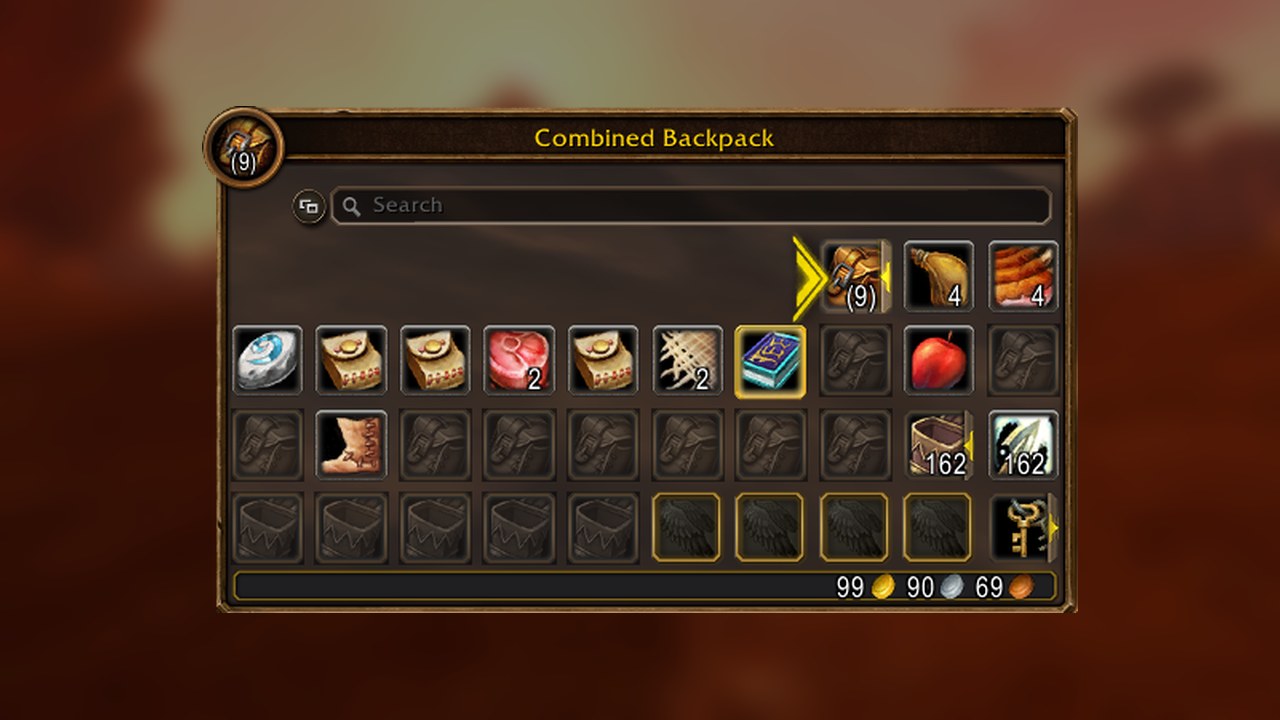
- With the combined bag switched on, the background of every slot now shows which bag that slot belongs to. Handy when you want to know what sits in your backpack and what sits in that new bag you just bought.
- In the keybinds menu, hovering over a keybind now lights up the matching button on your action bar. Setting up your bars for launch night just got a lot easier.
Nameplates and combat
- Nameplates show again whether an enemy is elite. Good to know before you pull that one mob a little too far into the camp.
- You can now click through debuff icons on nameplates, so they no longer get in the way when you click a target.
- The swing timer bar no longer fades out when you move out of range. It stays visible until the swing finishes. Melee players will like this one.
Windows and panels
- The Spellbook and Talents window now opens at the same height as the other panels.
- The combat mode of the Spellbook is smaller, so it covers less of your screen.
PvP
- The PvP scoreboard got a new look.
- Kill a player while you are at the Honor cap and you no longer see honor gained in floating text or in chat, because you don't get any.
What this means for Legends of Azeroth
Nothing to do for you: these fixes are part of the launch. Log in tonight at 00:00 CET, set up your bars and keybinds, and find us in guild chat and on Discord. Not a member yet? The recruitment form is at https://legendsofazeroth.com/recruitment
Source: Blizzard Entertainment, in the WoW: Forever development notes at https://us.forums.blizzard.com/en/wow/t/2360696